
When you want to print a coloring sheet of flowers, there are two practical choices. You need either a ready-made free printable (i.e., an actual printable flower page) or you can make your own custom floral page. What the age and detail level of your child is will guide your decision.
In the following sections, I’ll examine the common styles that flower pages come in, then describe the established flower collection sites with their stated design ranges and organization. But first, how do people usually get printable flower sheets? After that, I’ll show what we offer here at ColoringPagesTools.com, and how to pick the right printable designs for different ages and difficulty levels.
If neither the existing designs nor the existing generator appeal to you, keep reading — I’ll explain how you can generate your own unique flower coloring sheets with the text-to-coloring-page generator. Finally, I’ll explain how the generator’s output files work.
Flower Sheet Styles
The easiest way to begin your search for printable flower sheets is to go through what other parents have already created and printed out. There are many online collections, but each has a slightly different approach. As always, check if the collection is safe to download and use. The flower sheets are typically offered as individual printable pages, though some are grouped by theme or category. Below are a few of the most popular categories:
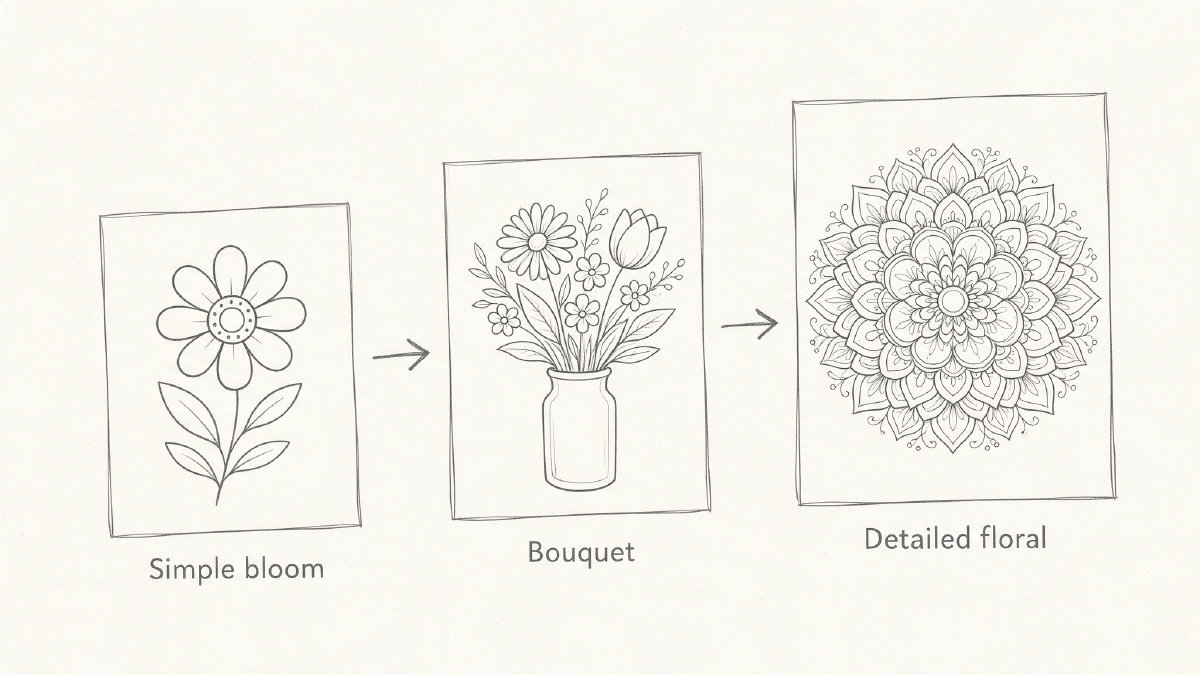
Simple single blooms — A basic bloom like a daisy, tulip, sunflower, or rose, in bold outlines. These can be fun for preschoolers, but they’re also appropriate for older children.
Smiling preschool-style flowers — These may include flowers with smiling faces, whimsical designs, or even characters like bees and butterflies.
Bouquets — Sometimes, the flowers are arranged into bouquets, such as in a bouquet or garden scene.
Flower mandalas — Mandalas made from petals, leaves, etc.
Botanical close-ups — Close-up shots of various flowers or parts of flowers, often with intricate linework.
Number pages — Flower arrangements with numbers in them.
Letter pages — Flower arrangements with letters in them.
Some of these flower pages may be available in several forms, including the daisies above. Some may be found in multiple colors, too, though this is not universal.
Established Flower Pages
A few of the larger flower coloring page sites provide a fairly wide range of themes, and it’s easy enough to find some examples on Google or Bing Images. However, it is important to note that many of these flower pages aren’t reviewed by us at ColoringPagesTools. That said, here are some flower coloring pages we’ve examined and believe to be good options.
Monday Mandala provides 66 free printable flower pages, ranging from very simple flowers to more intricate botanical designs. It includes some very simple flowers as well as more intricate botanical designs. This site also contains numerous other holiday- and animal-themed pages.
ABCmouse.com offers 200+ free flower pages for kids, organized into easy, educational, animal-and-insect, miscellaneous, seasonal, and flower-type collections. The pages include simple bold-outline blossoms for younger children, number and letter pages, animals and insects, bouquets and garden scenes, and more detailed pages for older children.
Crayola.com provides flower pages aimed at adults and teens. The collection includes simple blossoms, intricate botanical designs, floral patterns, and flower mandalas.
Printing Out Printable Flower Sheets
Printable flower sheets are generally obtained either directly from the site, or via downloadable high-resolution PDFs. Either way, you should choose the appropriate paper size to ensure that the file fits on one page. For example, some sites print best on US Letter (8.5 x 11 inches), others on A4 (210 x 297 mm). Some will let you print a PDF as-is; others will allow you to download the PDF file to your computer before printing.
What Do We Offer?
At ColoringPagesTools.com, we review our own set of printable designs in our general library. We label which audience a particular printable is for, whether it is difficult or simple, and so on. We also provide both A4 and US Letter sizes for the PDFs, but we don’t yet have a dedicated flower collection URL.
How To Select Age Appropriate Designs
We’ve seen some flower pages that are particularly well suited for young children: those with bold outlines, simple shapes, or cartoonish depictions of flowers and gardens. Others are designed for older kids, teens, and even adults: intricate gardens, mandalas, floral patterns, petal-by-petal botanical studies, or even floral arrangements featuring lettering and numbers.
Creating Your Own Custom Flower Page
You can create your own custom flower coloring page using the Text-to-Coloring-Page Generator. Just type in your idea of what kind of flower page you’d like, and select choices for style, page shape, and quality. Name the flower, what it is doing, and a simple setting. If you’re looking for a page for a young child, try something like “a smiling sunflower in a garden with big simple shapes.” If you’re interested in a more intricate page, type something like “a mandala made of roses, leaves, and small dots, symmetrical around the center.” Leave colors out of the prompt, since the generator draws outlines for you to fill in.
Once you submit your request, the generator will create a printable page. When it is ready, you can click the Download button to save the file to your device. No sign-up is required, and your printable coloring page will be private. You can print the page directly from your browser screen, or download the printable file.
Choosing Between the Output Options
The Text-to-Coloring-Page Generator gives you a few output choices. Each finished creation includes a PNG plus A4 and US Letter PDF versions of the file, and then you can choose between downloading the file or just printing it straight from your browser.
Finally, decide which of the output options you prefer. Will you use it directly on your screen, or will you print it onto A4 paper? If you’ll be printing it onto US Letter-sized paper, choose the US Letter option, otherwise stick with A4.