
Free printable coloring page
Spider Between Pumpkins Coloring Page
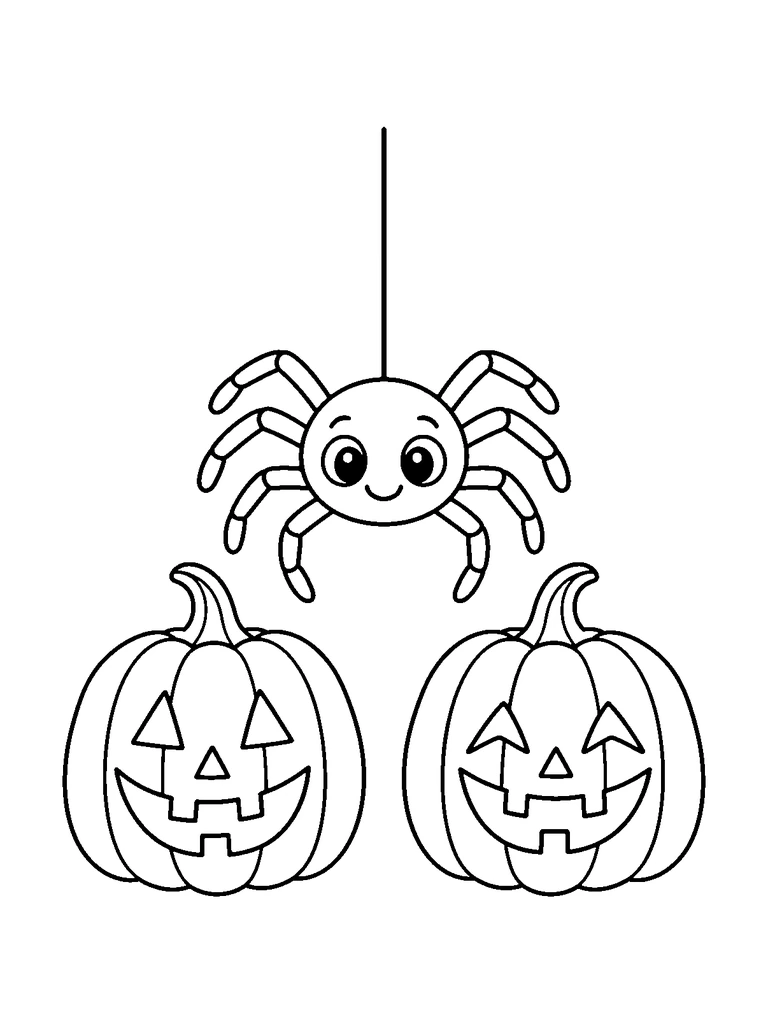
A smiling spider hanging from a thread between two carved pumpkins.
- Difficulty
- medium
- Audience
- kids
- Format
- PDF, PNG, SVG
- Paper
- A4 + US Letter
Try this page with AI
Paint it in a style you pick, or make your own version of this idea.
Created with AI image tools, then reviewed and cleaned up for print. Free for personal and classroom use; see our license.
01About
About Spider Between Pumpkins Coloring Page
Hanging by a single long thread from the top of the page, a smiling spider dangles above two carved pumpkins. Its round head has big shiny eyes and a small smile, and its eight legs bend in jointed segments out to the sides. The two pumpkins sit side by side at the bottom, each with curly stems, ribs, triangle eyes, a small nose and a toothy grin. The pumpkin on the right has slightly different eyes and smile than the left one. The pumpkins are large and the spider is small, so the page has big areas to fill and a few fine details to add. A tidy symmetrical layout for kids who like cute creepy-crawlies. The paired pumpkins invite two different color schemes side by side.
In this picture
- spider
- hanging thread
- jointed legs
- big eyes
- two jack-o'-lanterns
- pumpkin ribs
- pumpkin stems
- toothy grins
02Ideas
Coloring ideas for Spider Between Pumpkins
- 1Color the spider's legs in stripes that follow each segment
- 2Make one pumpkin deep orange and the other a lighter shade
- 3Give the hanging thread a silver or gray color
- 4Fill the spider's body with purple to contrast with the pumpkins
Suggested palette
- pumpkin orange
- spider purple
- silver
- leaf green
- black
03Explore
Following the spider's leg joints above the pumpkins
The hanging thread is a single printed line
Look for
One straight thread reaches the spider's round body from above. Each leg bends through narrow outlined segments, and the right pumpkin's eyes bend more sharply than the left pumpkin's triangles.
Try this
Use a sharp pencil inside the leg segments, stopping at each joint mark. Leave the thread as its existing black line; choose face-opening colors before filling the pumpkins so their different eye shapes remain visible.
Give the two pumpkins a conversation about the spider
What you need
Printed spider-and-pumpkins page · Colored pencils · Plain paper · Pencil
- Give the two pumpkins distinct main colors and use a third accent on the spider.
- Write one speech line for each pumpkin on separate paper, imagining how each reacts to the dangling visitor.
- Mark each line with a small pumpkin shape colored to match its speaker.
- Place the dialogue beneath the page, then add a short reply from the spider using its accent color.
Another way to try it: Use thought bubbles on the separate sheet instead of spoken lines, keeping all lettering away from the narrow printed leg details.
04Tips
Coloring tips
- Start with the largest areas, then add detail.
- Test markers on spare paper to prevent bleed-through.
- Use lighter layers first when working with colored pencils.
05Print
Print guide
- Choose the PDF that matches your paper size.
- Print at 100% scale or “actual size”.
- Use portrait orientation and normal print quality.
06Coloring book
This page is part of a coloring book
07Collections
Included in collections
08Related
Related coloring pages
Halloween Jack-o'-Lantern Coloring Page
easy · kids · A4 & US Letter
Halloween Ghost Lantern Coloring Page
medium · kids · A4 & US Letter
Cat in a Pumpkin Basket Coloring Page
medium · kids · A4 & US Letter
Owl Riding a Broom Coloring Page
medium · kids · A4 & US Letter
Dancing Skeleton Coloring Page
medium · kids · A4 & US Letter
Halloween Crooked House Coloring Page
medium · kids · A4 & US Letter
Bubbling Cauldron Coloring Page
medium · kids · A4 & US Letter
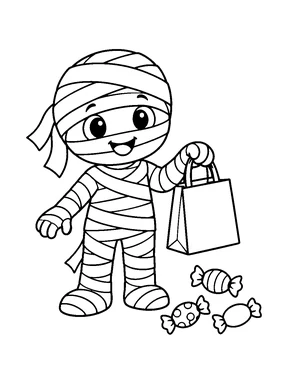
Mummy Trick-or-Treating Coloring Page
medium · kids · A4 & US Letter
09More themes
You may also like
Pages from other themes in the library.
10FAQ
Questions about this page
Is the Spider Between Pumpkins coloring page free?
Yes. Download the A4 or US Letter PDF, or a PNG image, for free. Guests can download 5 pages a day as PDF or PNG, and free accounts 20, with no watermark. The editable SVG file needs a free account.
Which paper size should I print?
Choose A4 in most countries and US Letter in the United States and Canada. Print at 100% or "actual size" in portrait orientation.
Can I use this page in a classroom?
Library pages are free for personal, family, classroom and other non-commercial use. Reselling or redistributing the files is not allowed; see the License page for details.
Can I make a page like this one?
Yes. Create similar opens the AI coloring page generator with this idea filled in. A Standard page uses 1 credit, and you can try it twice without an account.