
I've found some excellent coloring pages of monster trucks online, but none are as easy to customize as I'd like. There are several tools that let you create ready-made coloring pages. But what if you want your own original design? That's where the ColoringPagesTools truck collection comes in.
ColoringPagesTools
The truck collection
You'll find six different side views: a pickup, box truck, dump truck, flatbed, tanker and fire engine. Each has carrying goods, construction and other varied elements. There are also various cabins, cargo areas, beds and wheel arrangements.
The truck collection allows you to choose between scenes with many objects (a good choice for longer coloring sessions) and simple profiles (a good match for focusing on large panels and round wheels). These are work-truck alternatives. For an original monster truck, use the generator and describe the subject, action and setting.
ColoringPagesTools
Prompts for original monster truck coloring pages
ColoringPagesTools provides adaptable prompts suggestions that aren't tested. You can use them around one original monster truck, one action and a simple setting. Complexity is expressed through how many shapes and details you ask for.
You can describe these in plain English up to 500 characters. Here's an example:
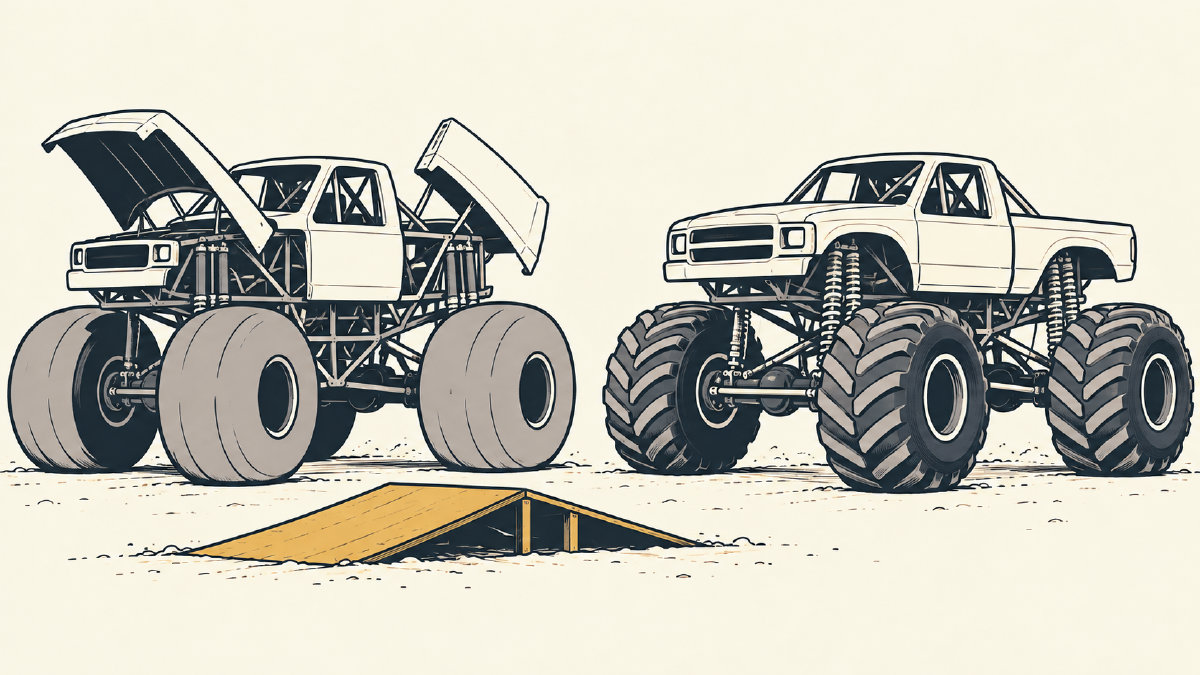
"An original unbranded monster truck with oversized tires beside one low ramp; large closed shapes for a preschooler; plain background; no lettering"
Or you could say something like this:
"An original unbranded monster truck driving over one low ramp; visible suspension and patterned tire treads for an older child; sparse background; no lettering"
But remember: you should leave colors, shading and text out of your prompt. Don't include any copyrighted character or brand, or anything else you wouldn't want to credit before using it.
ColoringPagesTools
Matching complexity to the person coloring
When it comes to matching complexity to the person coloring, the advice isn't hard and fast. It suggests pairing open shapes and few background objects with an easier style. For more detail, request mechanical patterns, and pair it with a finer style for a patient older child.
For example, a simpler style would feature thick lines and large shapes. A more detailed page would have fine lines and more areas to fill. Younger children will probably enjoy large, closed shapes, while an older child may prefer tire patterns and suspension details. (The age or intended colorist is included in the prompt.)
There are documented choices about how many shapes you want on the page, and the quality. The latter determines how many credits you'll need.
ColoringPagesTools
Page shape quality and credits
ColoringPagesTools offers options to change the page-shape, as well as the overall quality. You can pick from a range of sizes, including landscape 4:3 (for wide scenes), portrait 3:4, square 1:1, tall 2:3, wide 3:2, phone 9:16 and widescreen 16:9. A standard option (which produces quick 1K generation, taking only one credit) is also available. If you're interested in higher resolution (more detailed 2K generation), then you need two credits.
The free version lets you create two Standard pages without an account. Trial credits are also used with the Standard format, which means they're faster. High requires either a subscription or a credit pack.
Downloading finished coloring pages
ColoringPagesTools
ColoringPagesTools says you can download each completed coloring page as a PNG or an A4 or US Letter PDF, then print it at 100% scale. As long as you download the right PDF, everything will work. So check out your PNG file, make sure it’s clean black-and-white line art, and preview it on screen.
Printing it out is a breeze, too — just select the right paper size. Make sure that the paper size matches the PDF you’ve selected. Then, check out both the file and print preview to ensure that the entire page shows up, including the edges.
Creating stories
ColoringPagesTools
ABCmouse says its coloring pages could become a short truck-adventure storybook. Writing the story might suit a younger child, who writes their own adventure based on the images they've created. A younger child could dictate the plot while an adult writes it down, however. Either way, all you need to do is staple together the pages to create a mini-book.
This article was originally published on ABCmouse.com.