
I love creating printable colouring pages for you. And since I’m always looking for ways to help you save time, I wanted to share a few things that might be helpful when it comes to Valentine’s Day.
Flower Printables to Colour In
First of all, if you’re looking for something simple to print and have your kids colour in, you’ll want to look at the flower printables from my free library of printable colouring pages. They’re all available in both A4 and US Letter sizes, and they include:
Single Rose with Layered Leaves — easy
Smiling Rose Bouquet with a Ribbon — medium
Heart-Petal Flowers in a Garden Patch — medium
If you’re choosing for young children, the easy flower page has large shapes, while the medium pages add more detail. When using the generator, you’ll want to choose the shape size and amount of detail to suit whoever is doing the colouring.
Create an Original Picture
If you’d rather have some more freedom with your design, you can use this web generator to create an original picture specifically for your Valentines Day activity. Just describe what you want using plain English (no colors, shading, or text), and then select one of eight styles and seven page shapes (portrait, square, phone, widescreen, etc.). You can also choose between Standard or High quality. The generated results will be PNG files, but they’ll also be available as PDFs in A4 and US Letter sizes.
The animal ideas below are just suggestions, but you can come up with your own ideas. These are untested prompts, so don’t be surprised if the results aren’t exactly like the examples. But feel free to try them out!
Here are a couple of suggested bunny pictures to get you started…
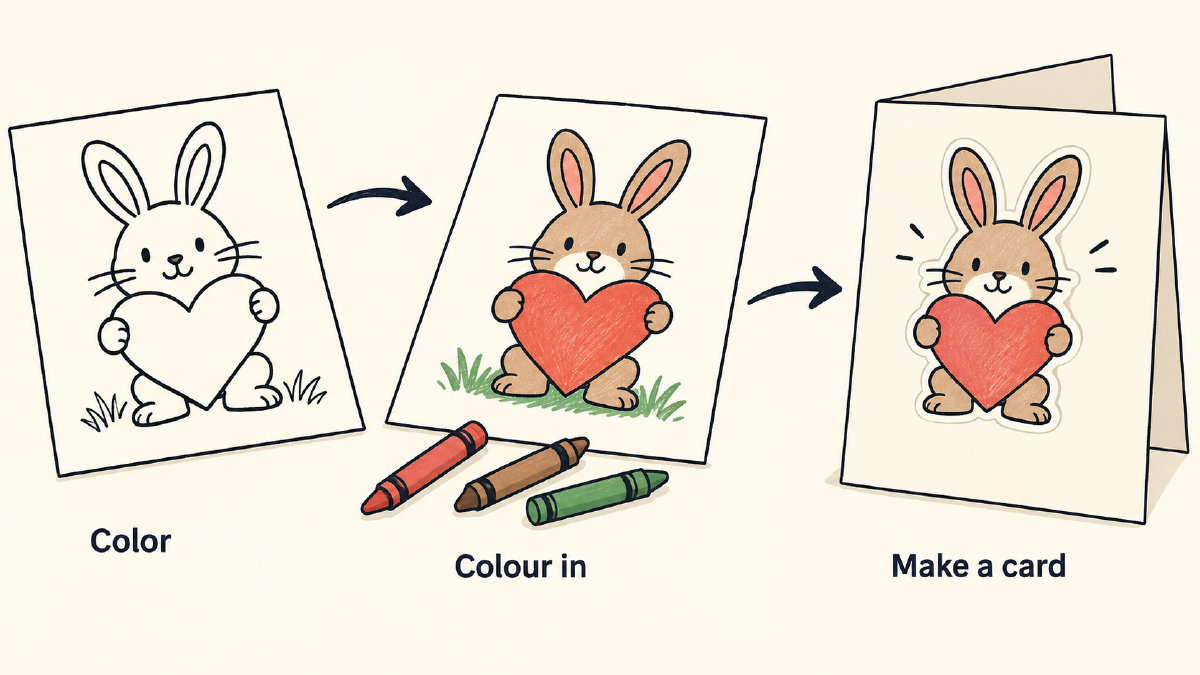
A bunny holding a large heart in a simple garden.
Two original animal friends sharing a heart-shaped balloon in a simple park.
You can also see how it works by visiting the generator directly.
Choose the Right Paper Size
When downloading the file, make sure you download the format that matches the paper size you use in your printer. All of the existing designs in the library are available in either A4 or US Letter PDF formats. The generated results will be PNG files, plus A4 and US Letter PDFs.
For those of you who would prefer to skip the generator and go straight to the flower library, you can download five flower pages a day as a guest, or twenty with a free account. However, there are restrictions on how many times you can download new content from the generator. If you’ve never used the generator before, you can download two Standard pages without signing up for an account. If you do sign up for an account, you’ll get two free credits, which should be enough for two more Standard pages. (Note: There is an exception to the rule about new-account credits. If you already used your free tries in the same browser or on the same network, then your new account won’t have any free tries left.)
There’s a separate allowance for free downloads from the flower library, and that’s where the “5 downloads per day” restriction comes in. That allowance applies only to the flower library, and doesn’t apply to printed classroom copies. So if you want to print multiple copies of the same design for your class, you’re welcome to do that. The daily file download limit is separate from how many classroom copies you print.
Also, please note that while you can download the library designs for free, you cannot redistribute, resell, or repurpose the files in any way. You can use the files for personal, family, or classroom purposes, but you can’t use them for commercial use.
Make a Card or Display Your Picture
Finally, once you’ve coloured in your picture, you can cut out the coloured design, fold a piece of cardstock or construction paper, paste the picture onto the folded cardstock, and write a handwritten message to whomever you’re making the card for. If you want to add a little extra sparkle, you could also add glitter, stickers, or ribbons.
If you’re planning on hanging finished pages around your house, or pinning them on a classroom bulletin board, you’ll probably want to print the pages at 100% or actual size. Otherwise, you’ll end up with tiny outlines and uneven margins. I recommend printing them at 100% scale because I haven’t actually tested these files on different printers.