
Free printable coloring page
Fox Sewing a Scarf Coloring Page
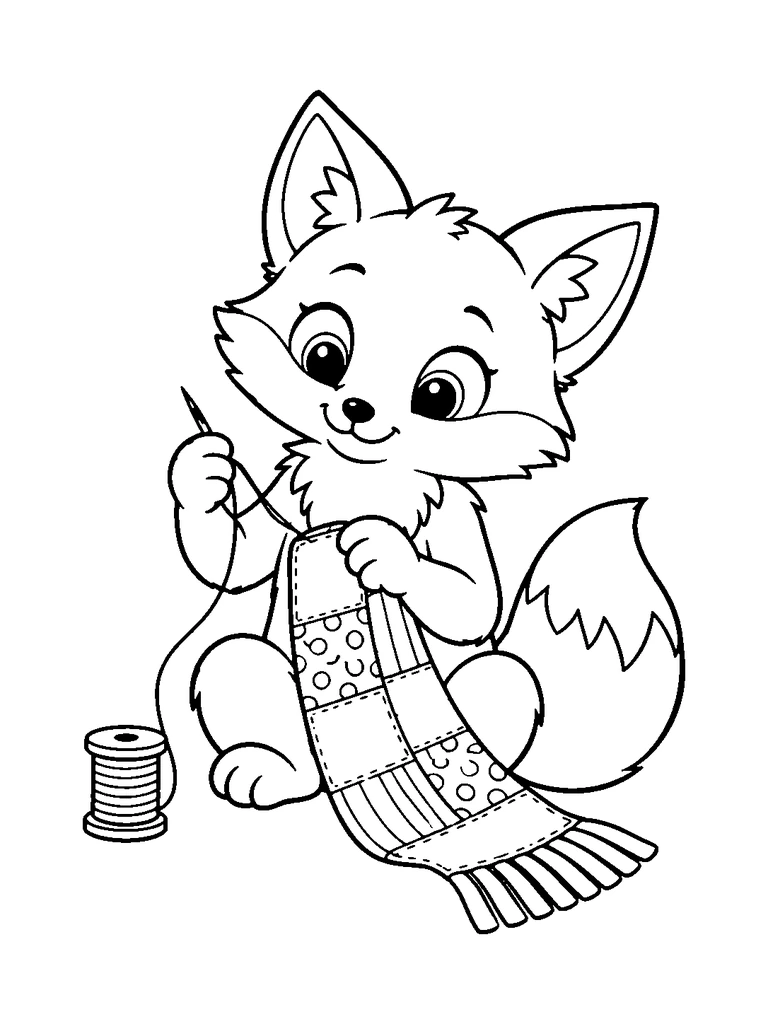
A cute fox sewing a patchwork scarf with a needle and a spool of thread.
- Difficulty
- medium
- Audience
- kids
- Format
- PDF, PNG, SVG
- Paper
- A4 + US Letter
Try this page with AI
Paint it in a style you pick, or make your own version of this idea.
Created with AI image tools, then reviewed and cleaned up for print. Free for personal and classroom use; see our license.
01About
About Fox Sewing a Scarf Coloring Page
Sitting on the ground with its tail curled at the right, a young fox pulls a needle and thread through a patchwork scarf held in both front paws. The scarf hangs down the middle of the page in square patches, each with a different pattern of dots, curves or stripes, and dashed stitch lines run along the seams. A fringe of tassels hangs at the bottom right. At the lower left sits a spool of thread, with the loose thread rising up toward the needle. The fox looks down with shining round eyes and a small smile, with fluffy cheek fur and tufted ears. The patches give you many different small areas to color, which makes it a cozy medium-level page for kids who like crafts and animals.
In this picture
- cute fox
- patchwork scarf
- needle
- thread
- spool of thread
- stitch lines
- fringe
- bushy tail
- tufted ears
02Ideas
Coloring ideas for Fox Sewing a Scarf
- 1Give every scarf patch its own color and pattern, one by one
- 2Color the spool of thread a bright red with a darker top and bottom disc
- 3Make the fringe at the bottom alternate between two colors
- 4Use soft orange for the fox and leave the tail tip white
Suggested palette
- patchwork multicolor
- fox orange
- thread red
- cream
- teal
- mustard
03Explore
Following the fox's thread and scarf seams
Do not turn the stitch dashes into stripes
Look for
Small dashed seams run just inside the scarf patches. The loose thread makes a thin curving line between the fox's raised needle and the spool.
Try this
Color each patch lightly across its stitch dashes, keeping them black and legible. Leave the loose thread as a fine printed stroke; use a darker accent only on the spool's broad top and base.
Build a scarf palette from its three patch types
What you need
Printed scarf scene · Colored pencils · Scrap paper · Pencil
- On scrap paper, make three swatches labeled plain, dotted, and striped to match the scarf's visible patch types.
- Assign one base color to each type and follow that key down the scarf, retaining the printed motifs and dashed seams.
- Choose a fringe color already present in one patch type so the tassels connect to the scarf rather than becoming a fourth competing pattern.
Another way to try it: Keep the same three base colors but exchange which patch type receives each color on another copy.
04Tips
Coloring tips
- Start with the largest areas, then add detail.
- Test markers on spare paper to prevent bleed-through.
- Use lighter layers first when working with colored pencils.
05Print
Print guide
- Choose the PDF that matches your paper size.
- Print at 100% scale or “actual size”.
- Use portrait orientation and normal print quality.
06Coloring book
This page is part of a coloring book
07Collections
Included in collections
08Related
Related coloring pages
Sitting Fox Coloring Page
easy · kids · A4 & US Letter
Fox Watering Mushrooms Coloring Page
medium · kids · A4 & US Letter
Fox Baking Leaf Cookies Coloring Page
medium · kids · A4 & US Letter
Fox Reading on a Stump Coloring Page
medium · kids · A4 & US Letter
Fox Playing the Violin Coloring Page
medium · kids · A4 & US Letter
Fox Tea Time Coloring Page
medium · kids · A4 & US Letter
Fox Jumping Rope Coloring Page
medium · kids · A4 & US Letter
Fox Folding a Paper Crane Coloring Page
medium · kids · A4 & US Letter
09More themes
You may also like
Pages from other themes in the library.
10FAQ
Questions about this page
Is the Fox Sewing a Scarf coloring page free?
Yes. Download the A4 or US Letter PDF, or a PNG image, for free. Guests can download 5 pages a day as PDF or PNG, and free accounts 20, with no watermark. The editable SVG file needs a free account.
Which paper size should I print?
Choose A4 in most countries and US Letter in the United States and Canada. Print at 100% or "actual size" in portrait orientation.
Can I use this page in a classroom?
Library pages are free for personal, family, classroom and other non-commercial use. Reselling or redistributing the files is not allowed; see the License page for details.
Can I make a page like this one?
Yes. Create similar opens the AI coloring page generator with this idea filled in. A Standard page uses 1 credit, and you can try it twice without an account.