
If you’re like me, you’ve been working toward a summer coloring book. You know… the one where I’ll have all of my favorite summer scenes that I’ve created for free printable pages over the years, and then I can download it as a PDF file to print out.
Well, right now, I don’t have a dedicated Summer coloring book on ColoringPagesTools.com. But I do have 27 books, each with 12 pages, and they’re almost ready to go. The only thing I need to finish is to mark them as “summer” so that when people search for summer coloring pages, they show up in the results.
I’ll be getting to work on that this week, and if you’d like, you can help by checking out the other books and voting which ones should be marked as summer. If you vote for something, please make sure that it’s actually a summer scene. Don’t just vote for things because they have blue skies or flowers, etc., unless those are clearly summer scenes.
Anyway, back to the main topic. In the meantime, if you want to get started creating your own summer coloring book, there are some easy steps you can take using the existing library of pages at ColoringPagesTools.com. And if you really want to get creative, you can also create original AI coloring pages for summer.
Let me walk you through how to do both of those options.
Option #1: Use Existing Pages from the Library
If you’d like to use existing coloring pages, the fastest way is to filter the broader original library and use the ocean collection as the core of your summer-themed coloring book. Here’s what you’ll find:
494 original reviewed pages
Theme filter
Level filter
Age filter
Style filter
Occasion filter
Sharks
Sea turtles
Fish
Whales
Original mermaids
Waves
Kelp
Coral
A4 or US Letter PDF
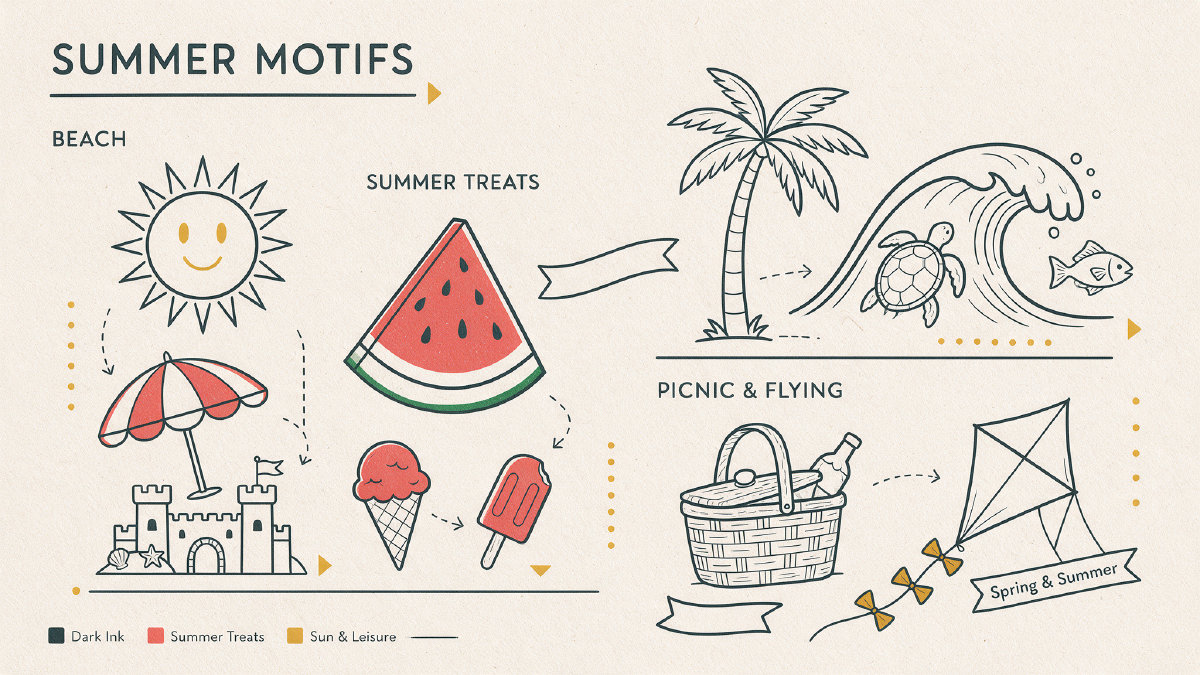
You can mix and match these pages, and add in other pages from the broader library. Just keep in mind that the ocean theme will be the most summer-adjacent. But you can also include other summer motifs such as:
Beach scenes
Sunshine
Ice cream cones
Watermelon slices
Palm trees
Sandcastles
Swimming
Surfing
Snorkeling
Picnics
Lemonade stands
Sunflowers
Camping
Outdoor adventures
Lake day
Sailing
Garden
Seaside art
Riding waves
And so on.
The key is to pick pages that look good together, and not worry about whether they’re exactly the same color scheme. The artwork is black-and-white line art, so you can choose any palette you like. And since these are line art pages, you won’t have to worry about colors clashing or anything like that. Easy pages have thicker outlines and simpler scenes for younger colorists, Cute/medium is a good middle ground, and Detailed pages have thinner outlines and more going on for older kids and adults.
So if you’d like to create your own summer coloring book, you can easily do so using the existing library of pages. But if you want something completely unique, then you can use the AI coloring page generator.
Option #2: Create Original AI Coloring Pages
If you’d like to create an entirely new set of summer coloring pages, then you can use the AI coloring page generator. This allows you to create original AI coloring pages based on any prompt you choose. All you need to do is type in a description of the scene you want to create, and the generator will create the image, and then you can download it as a PNG file to print out and color.
Here’s what you’ll find:
AI coloring page generator
2 free tries per day
No sign-up required
PNG file
A4 PDF
US Letter PDF
Creations stay private — no public sharing
Not added to public library
Known characters unsupported (e.g., Mickey Mouse)
Brands unsupported (e.g., Nike)
But if you follow the formula below, you’ll have a better chance of getting a printable coloring page that looks great and prints well.
Prompt Formula That Prints Well
Choose one clear subject doing one action in a simple setting.
For example…
“a girl holding an ice cream cone”
Then tune the age, style, shapes and detail while excluding instructions that fight line art.
For example…
“A preschooler holding an ice cream cone in a sunny beach setting. Preschooler style. Large closed shapes. Patterns. Fine details. No colors. No shading. No text.”
Once you’re satisfied with the output, you can download the page as a single-page A4 PDF or a single-page US Letter PDF. Print at 100% scale so the outlines stay crisp.
You can also click the “Download as PNG” button to download the coloring page as a PNG file that you can print and color.
Note: There are limitations to this tool. For example, you can only try it twice per day without signing up. However, if you sign up, you’ll get additional account credits to try it more times. Also, you can’t create pages that feature known characters (e.g., Mickey Mouse) or brands (e.g., Nike). But it’s still a great option if you want to create a completely unique coloring page.
How to Turn Selected Pages Into Your Own Personal Summer Activity Pack
After selecting the pages you want to use, you can turn them into your very own personal summer activity pack. First, you’ll need to download them as a single book. On ColoringPagesTools.com, you can download the pages as a single book (single book PDF), and then select the size you’d like (A4 or US Letter). You’ll need a free account, and each account can download one book per day.
You can also download them as individual PNG files and then assemble them yourself. Either way, you’ll end up with a coloring book of summer scenes that you can print out and color.
Now, you might be wondering, “What if the exact page I want doesn’t exist?” It’s perfectly fine! If you want to create a coloring page that isn’t in the existing library, you can use the AI coloring page generator. Just remember that you’ll only get two free tries per day, and you’ll need to sign up for an account if you want to try it more than that.
Also, note that creations made with the AI coloring page generator stay private. They aren’t added to the public library, and they aren’t shared publicly. So you can rest assured that your original coloring pages will remain yours alone.
Finally, once you’ve downloaded your coloring book, you’ll want to give it a name. While the default cover page has the name “Summer,” you’ll probably want to personalize it. To do that, you can use the name coloring page maker. Just enter your child’s name, and the program will generate a free first name cover page, no account needed for that single page. The name page is free and uses no credits. You can download the cover page as a PNG, A4 PDF, or US Letter PDF. You can even use up to 30 names to create a PDF with a separate personalized page for each name.
So there you have it! Now you’re ready to create your own summer coloring book.