
Free printable coloring page
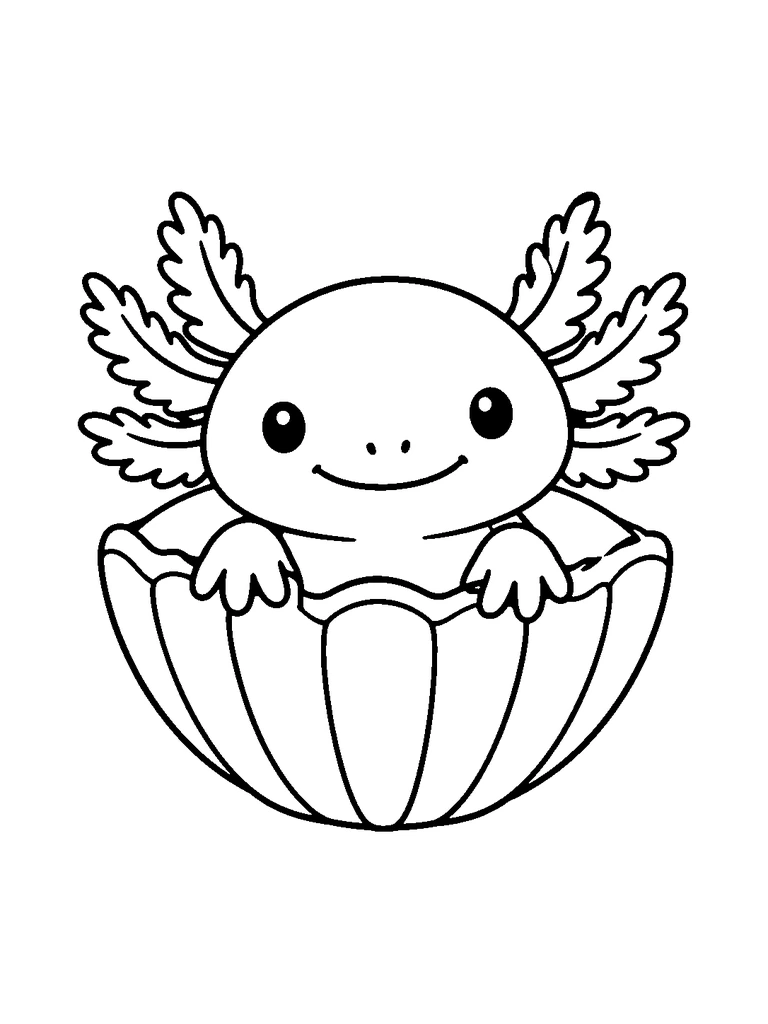
Axolotl in a Seashell Coloring Page
An axolotl peeking out of a rounded shell.
- Difficulty
- easy
- Audience
- kids
- Format
- PDF, PNG, SVG
- Paper
- A4 + US Letter
Try this page with AI
Paint it in a style you pick, or make your own version of this idea.
Created with AI image tools, then reviewed and cleaned up for print. Free for personal and classroom use; see our license.
01About
About Axolotl in a Seashell Coloring Page
Peeking out of a wide scallop-style shell, a smiling axolotl rests its two front hands on the rim. The shell is a half-bowl shape with broad ribs radiating from the bottom to the wavy rim, and the lip is drawn with a double line. Behind the head, three frilly gills fan out on each side. Only the head, shoulders and hands are visible, since the rest of the body is tucked inside the shell. The vertical ribs give the shell a series of tall, narrow bands, which are easy to color one at a time. A compact, centered easy page for kids that suits a seaside or underwater theme. The outline is bold and the shell is the biggest shape, so the page feels satisfying to complete even for beginners. Pairing a warm shell with a cooler animal color makes the face stand out at once, and the empty corners leave space for a name or a date.
In this picture
- axolotl
- seashell
- shell ribs
- wavy rim
- gills
- front hands
- smile
02Ideas
Coloring ideas for Axolotl in a Seashell
- 1Color the shell ribs in alternating pastel shades
- 2Make the wavy rim a different color from the ribs
- 3Pick a bright pink for the axolotl so it stands out from the shell
- 4Color the three gills on each side in a graded set of pinks
Suggested palette
- pink
- peach
- sand
- aqua
- coral
- white
03Explore
The shell rim beneath the peeking axolotl
Separate the wavy lip from the radiating shell panels
Look for
The axolotl's hands rest across a doubled wavy rim. Broad shell panels narrow toward the bottom, meeting beneath the wide central panel.
Try this
Fill the rim with a lighter tone than the shell body, stopping at the fingers. Shade each panel from its side edges toward a lighter center so the bowl shape remains rounded instead of becoming a flat striped fan.
Tell the moments before and after the shell surprise
What you need
Printed shell axolotl page · Colored pencils · Plain paper · Pencil
- Color the printed peeking scene, keeping the hands on the shell lip easy to see.
- Draw two boxes on separate paper and label them before and after.
- In the first, invent what the shell looked like before the axolotl appeared; in the second, imagine where the animal goes after leaving it.
- Place the colored page between the two invented scenes and add captions that explain the change.
Another way to try it: Write the two missing moments instead of drawing them, using the peeking face and hidden body as clues.
04Tips
Coloring tips
- Start with the largest areas, then add detail.
- Test markers on spare paper to prevent bleed-through.
- Use lighter layers first when working with colored pencils.
05Print
Print guide
- Choose the PDF that matches your paper size.
- Print at 100% scale or “actual size”.
- Use portrait orientation and normal print quality.
06Coloring book
This page is part of a coloring book
07Collections
Included in collections

08Related
Related coloring pages
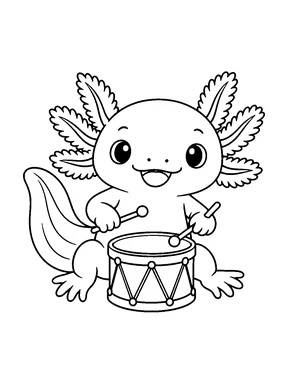
Axolotl Playing a Drum Coloring Page
medium · kids · A4 & US Letter
Swimming Axolotl Coloring Page
easy · kids · A4 & US Letter
Axolotl Sitting by a Pebble Coloring Page
easy · kids · A4 & US Letter
Axolotl and Water Plant Coloring Page
easy · kids · A4 & US Letter
Axolotl Holding a Ball Coloring Page
easy · kids · A4 & US Letter
Sleeping Axolotl Coloring Page
easy · kids · A4 & US Letter
Axolotl Lining Up Seashells Coloring Page
medium · kids · A4 & US Letter
Axolotl and Snail Coloring Page
easy · kids · A4 & US Letter
09More themes
You may also like
Pages from other themes in the library.
10FAQ
Questions about this page
Is the Axolotl in a Seashell coloring page free?
Yes. Download the A4 or US Letter PDF, or a PNG image, for free. Guests can download 5 pages a day as PDF or PNG, and free accounts 20, with no watermark. The editable SVG file needs a free account.
Which paper size should I print?
Choose A4 in most countries and US Letter in the United States and Canada. Print at 100% or "actual size" in portrait orientation.
Can I use this page in a classroom?
Library pages are free for personal, family, classroom and other non-commercial use. Reselling or redistributing the files is not allowed; see the License page for details.
Can I make a page like this one?
Yes. Create similar opens the AI coloring page generator with this idea filled in. A Standard page uses 1 credit, and you can try it twice without an account.