
Free printable coloring page
Axolotl Painting Pebbles Coloring Page
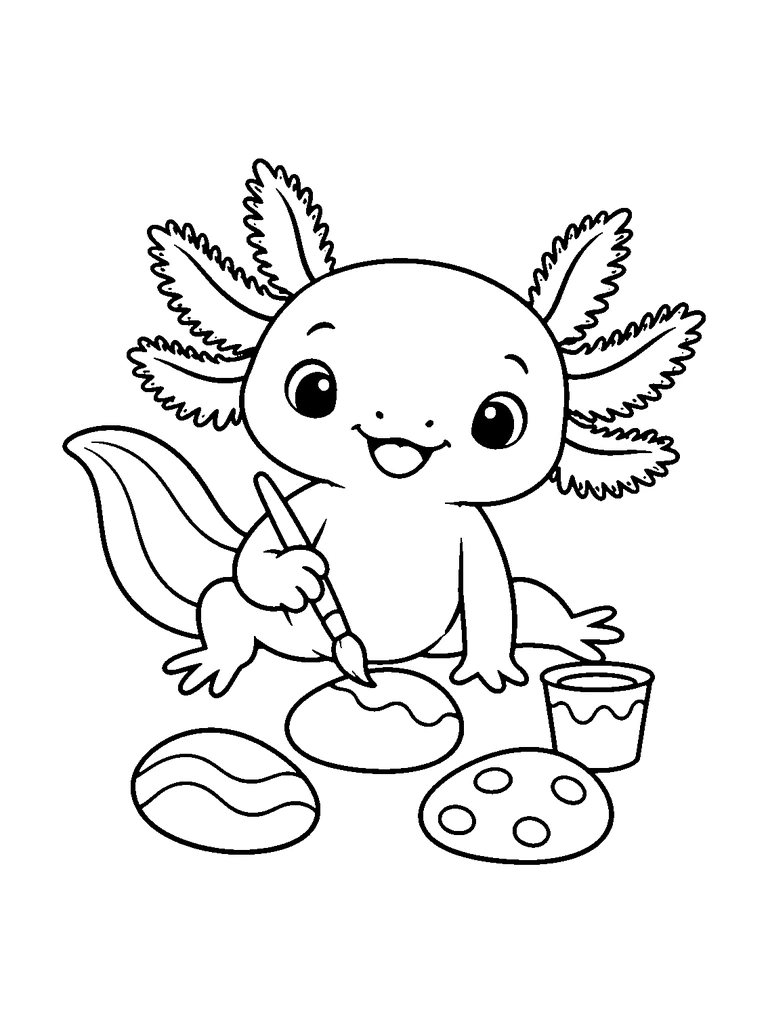
A cute axolotl painting smooth pebbles with a paintbrush and a paint cup.
- Difficulty
- medium
- Audience
- kids
- Format
- PDF, PNG, SVG
- Paper
- A4 + US Letter
Try this page with AI
Paint it in a style you pick, or make your own version of this idea.
Created with AI image tools, then reviewed and cleaned up for print. Free for personal and classroom use; see our license.
01About
About Axolotl Painting Pebbles Coloring Page
This axolotl has turned a pile of smooth pebbles into an art project. It sits with a thin paintbrush in one hand, adding a wavy line to the pebble right in front of it, while a small paint cup with a drip line waits on the right. Two finished pebbles lie nearby: the one on the left is covered in curvy stripes, and the one on the right is decorated with round dots. The axolotl looks delighted, with sparkly eyes and an open smile, and its feathery gills fan out on both sides of its head. A broad tail sweeps up behind it on the left, and its back foot stretches out to the right. Because the pebbles already have patterns, kids can color them like real painted rocks, then finish the axolotl and the paint cup in matching shades.
In this picture
- axolotl
- paintbrush
- painted pebbles
- paint cup
- stripes and dots
- tail
02Ideas
Coloring ideas for Axolotl Painting Pebbles
- 1Paint each pebble a different base color, then make its stripes or dots a contrasting color
- 2Use the same color in the paint cup as the wet line on the middle pebble
- 3Give the brush a wooden handle and a dark tip
Suggested palette
- coral pink
- ocean blue
- lemon yellow
- lime green
- violet
03Explore
Waves and dots on the axolotl's painted pebbles
Match the brush tip to the unfinished wavy design
Look for
The brush touches the central pebble's wavy division. A striped pebble lies to the left and a dotted pebble to the right, with the paint cup beside them.
Try this
Color the central pebble on either side of its wave, keeping the brush bristles distinct at the contact point. Use the cup's visible paint area to repeat one pebble color, separating it from the cup wall beneath the drip line.
Invent a fourth pebble by combining two painted motifs
What you need
Printed pebble-painting page · Pencil · Colored pencils · Plain paper
- Find the striped, wavy, and dotted designs on the three printed pebbles.
- Draw a new broad pebble oval on separate paper, then borrow the middle stone's wavy division for its first motif.
- Add a group of dots on just one side of your wave, leaving a clear border inside the pebble outline.
- Color the new combined design and place it beside the finished scene as a fourth gallery piece, comparing it with the two separate motifs that inspired it.
Another way to try it: Combine a striped band with dots instead, leaving the original three pebble designs unchanged.
04Tips
Coloring tips
- Start with the largest areas, then add detail.
- Test markers on spare paper to prevent bleed-through.
- Use lighter layers first when working with colored pencils.
05Print
Print guide
- Choose the PDF that matches your paper size.
- Print at 100% scale or “actual size”.
- Use portrait orientation and normal print quality.
06Coloring book
This page is part of a coloring book
07Collections
Included in collections
08Related
Related coloring pages
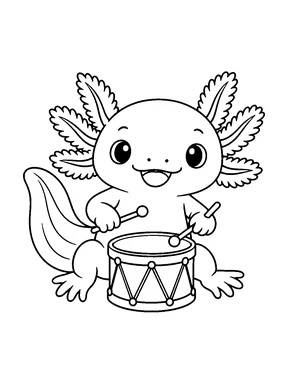
Axolotl Playing a Drum Coloring Page
medium · kids · A4 & US Letter
Swimming Axolotl Coloring Page
easy · kids · A4 & US Letter
Axolotl Sitting by a Pebble Coloring Page
easy · kids · A4 & US Letter
Axolotl and Water Plant Coloring Page
easy · kids · A4 & US Letter
Axolotl Holding a Ball Coloring Page
easy · kids · A4 & US Letter
Sleeping Axolotl Coloring Page
easy · kids · A4 & US Letter
Axolotl Lining Up Seashells Coloring Page
medium · kids · A4 & US Letter
Axolotl in a Seashell Coloring Page
easy · kids · A4 & US Letter
09More themes
You may also like
Pages from other themes in the library.
10FAQ
Questions about this page
Is the Axolotl Painting Pebbles coloring page free?
Yes. Download the A4 or US Letter PDF, or a PNG image, for free. Guests can download 5 pages a day as PDF or PNG, and free accounts 20, with no watermark. The editable SVG file needs a free account.
Which paper size should I print?
Choose A4 in most countries and US Letter in the United States and Canada. Print at 100% or "actual size" in portrait orientation.
Can I use this page in a classroom?
Library pages are free for personal, family, classroom and other non-commercial use. Reselling or redistributing the files is not allowed; see the License page for details.
Can I make a page like this one?
Yes. Create similar opens the AI coloring page generator with this idea filled in. A Standard page uses 1 credit, and you can try it twice without an account.